
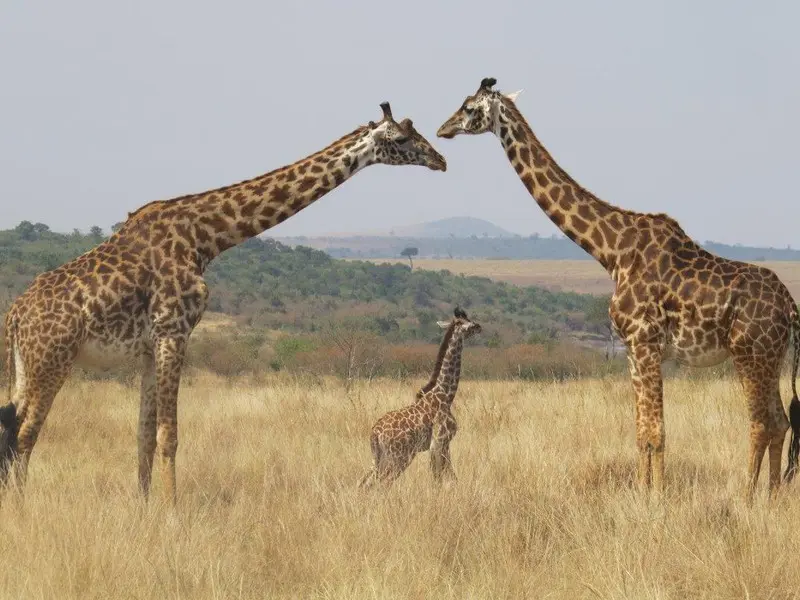
Safari with a Smartphone Only
A realistic, field-tested guide to enjoying and photographing a safari using only a smartphone: what phones do well, how to shoot better in a vehicle, battery and storage planning, and the best offline apps.
You can absolutely do a safari with only a smartphone and have an outstanding trip. Modern phones are quick, quiet, always ready, and genuinely excellent for landscapes, people, camp life, video and close wildlife encounters. They also help you learn: a good offline field guide and map turns your pocket device into a bush companion, not just a camera. The limitation is physics. A phone’s main lenses are wide, so distant animals appear small, and heavy digital zoom quickly turns detail into noise. Low light can also be challenging at dawn and dusk when animals are most active. The trick is to stop fighting the phone and start photographing like a guide: read the light, anticipate behaviour, and aim for story and atmosphere, not only tight portraits. This article shows you how to set realistic expectations, use simple techniques that improve sharpness and composition, and manage the practicalities of battery, storage and backups when you’re off-grid. It is written for typical game-drive safaris in East and Southern Africa, but the principles travel well.
Key things to know
- Your phone is best for atmosphere: landscapes, people, camps, close wildlife and video
- Reach is the main constraint; avoid heavy digital zoom and plan shots that suit wide lenses
- Stability matters more than megapixels: brace, rest, and ask for a full stop
- Use tap-to-focus and exposure control; protect highlights on pale animals and skies
- Shoot bursts and short video clips for action; choose frames later
- Plan battery and storage like you plan water: power bank, airplane mode, and daily clean-up
- Dust and glare are the silent enemies; keep lenses clean and shade the screen
- Offline field guides, maps and note tools make a smartphone-only safari richer
Set expectations and prep your phone before you leave
A smartphone safari is most enjoyable when you decide up front what you want to bring home. If your dream is frame-filling portraits of a leopard across a river, a phone will frustrate you. If your goal is to capture the feeling of the savanna, the sweep of a floodplain, close elephant moments at the waterhole, and the stories around camp, a phone can be perfect.
Prep matters because the bush is hard on electronics. Update your camera app, learn where exposure compensation lives, and free space well before travel. Turn on automatic backup only if you know you’ll have stable Wi‑Fi; otherwise you risk draining battery and filling local storage with half-uploaded files. Consider a phone with optical zoom if you’re choosing a device for the trip, but remember that field craft and light still matter more than specs.
- Learn manual controls: focus, exposure and burst mode
- Clear storage and bring a simple file management habit
- Enable offline maps and download reference apps in advance
- Pack a power bank and the correct cables for camps
- Bring a small microfiber cloth for daily lens cleaning
Field craft: how to get closer without breaking the rules
On safari, distance is not just about luck; it’s about positioning. Work with your guide: ask politely for a slight angle change so the animal’s eye catches light, or so branches don’t cut across the frame. When animals are relaxed, patience often brings them closer on their own. Your guide also knows which roads allow a better approach without disturbing the sighting or blocking other vehicles.
Avoid chasing “reach” by pushing in too close. Ethical guiding keeps respectful distance, never cuts off animals, and gives them space to move. The best phone photos often come from calm scenes at reasonable distance where behaviour is natural: elephants feeding, a lion pride resting, birds on a hippo’s back. Put the animal in its landscape and your images will feel more like safari and less like a blurry crop.
Technique that beats digital zoom
Sharpness is your biggest technical challenge, especially from a vibrating vehicle. Brace the phone on a beanbag, the window frame, or your own knee, and ask your guide for a full stop and engine off when it’s safe. Tap to focus on the eye or face and lock exposure so the phone doesn’t “pump” as you reframe. In harsh light, slightly underexpose to keep detail in pale fur, horns and bright skies.
Use your phone’s strengths. Shoot bursts for any movement and choose the best frame later; for action, short video clips can be more reliable than a single still. If you must zoom, use the phone’s optical zoom lens if it has one, and treat digital zoom as a last resort. Many of the most publishable smartphone safari images are wider compositions with clean lines, good light, and a clear subject.
- Brace the phone and shoot when the vehicle is fully stopped
- Tap-to-focus on the eye and lock exposure when possible
- Protect highlights by slight underexposure in bright scenes
- Use burst mode for movement and choose later
- Use optical zoom if available; crop later instead of heavy digital zoom
- Shoot short, steady video clips to capture behaviour and sound
Accessories and habits that make phone shooting easier
You do not need a bag full of gadgets, but a few small items can improve results dramatically. A power bank is non-negotiable on many itineraries, because charging time in tents is limited and game drives are long. A simple clip or strap helps prevent drops when you stand up in a vehicle or when a bump surprises you.
Dust is the other reality. Fine powder settles on pockets and lenses, and a single fingerprint can turn sunrise into a smeared flare. Clean your lens often with a microfiber cloth, and keep the phone in a sealed pouch on the dustiest drives. At midday, use your body or a hat to shade the screen so you can judge focus accurately. Finally, build a nightly routine: select favourites, delete obvious mistakes, and back up when you have power and signal.
Wildlife ethics, safety and being a good safari neighbour
A smartphone can be less intrusive than a big camera, but it still changes your behaviour. Never stand up or lean out of a vehicle to “get the shot” if it breaks park rules or puts you at risk. Avoid using flash at night, especially around nocturnal animals; it can disturb behaviour and ruins the natural mood of a sighting.
Remember that you share sightings. Keep your phone movements quiet and don’t hold it above other guests’ heads for long periods. If you’re filming, keep clips short so you can enjoy the moment with your eyes too. When your guide asks for silence or stillness around wildlife, treat that instruction as part of the experience, not a constraint. Good field etiquette often leads to better images anyway.
Apps, offline workflow and backup in camp
A phone-only safari is richer when the phone also helps you learn. Offline field guides let you identify animals and birds even with no signal, and offline maps help you understand where you are in relation to rivers, escarpments and park gates. A simple notes app or voice recorder is surprisingly valuable for capturing names, behaviour and guide stories while they are fresh.
Plan your workflow for low connectivity. Download apps and offline data before you enter the bush, then keep the phone in airplane mode for most of the day to save battery. Back up to a laptop, portable drive or cloud only when Wi‑Fi is stable, and consider keeping your best photos in a separate album for quick sharing. A calm routine beats panic copying when you’re exhausted after a dawn drive.
- Offline wildlife field guide and bird ID resources
- Offline maps with saved park areas
- A notes or voice recorder habit for sightings
- A simple backup plan: second device or cloud when available
- A basic editing app for light tweaks without over-processing
References & further reading
- Sinclair, A. R. E., et al. (Eds.) (2015). Serengeti IV. Chicago: University of Chicago Press.
- Estes, R. D. (2012). The Behavior Guide to African Mammals. Berkeley: University of California Press.
- Kingdon, J. (2015). The Kingdon Field Guide to African Mammals (2nd ed.). London: Bloomsbury.
- IUCN (2024). The IUCN Red List of Threatened Species, Version 2024-1. www.iucnredlist.org.
Do it with SafariLingo
Take SafariLingo on safari: 500+ species, real animal calls, offline maps and sighting logs — all in your language, wherever you roam.
Get the appFrequently asked questions
Can I really enjoy a safari with only a phone?
Yes. A smartphone is excellent for scenes, landscapes, camp life, close wildlife and video, and it doubles as a field guide and notebook. The key is accepting its limited reach and focusing on story, light and behaviour rather than distant close-ups.
How do I photograph distant animals without a telephoto lens?
Work with your guide to improve positioning, wait for animals to approach naturally, and shoot wider compositions where the animal sits in its landscape. Use optical zoom if your phone has it, but keep digital zoom minimal and crop later. Often the most successful phone images are not the tightest ones.
Should I buy clip-on lenses or a phone telescope?
They can help in specific situations, but quality varies and alignment is fiddly in a moving vehicle. For most travellers, better results come from stability, good light and careful composition. If you do bring add-ons, test them at home and keep expectations realistic.
How do I manage battery and storage on safari?
Use airplane mode during drives, lower screen brightness when possible, and carry a reliable power bank. Free space before the trip, then do a quick nightly clean-up: delete obvious misses and back up when you have stable power or Wi‑Fi. Don’t rely on constant cloud sync in remote camps.
Which apps are genuinely useful in the bush?
Offline wildlife and bird field guides, offline maps, a star chart for night skies, and a notes or voice recorder app. Download all data before you lose signal, and keep your key references accessible without logging in.
Related guides
 Planning & Tips
 How to Choose a Safari Destination
How to choose the right African safari destination for you: matching countries and parks to the wildlife you want to see, your travel season, your budget and your travel style, with clear decision rules to shortlist fast.
Planning & Tips Tipping on Safari: A Practical Guide
A clear, practical guide to safari tipping etiquette: who to tip, when to tip, suitable currencies, budgeting, envelopes, communal boxes and respectful thank-you habits.
 Planning & Tips
 Safari with Young Children
A practical, guide-level plan for safari with young children: choosing the right destination and season, family-friendly camps, age rules, health considerations, safety routines and ways to keep kids engaged.